



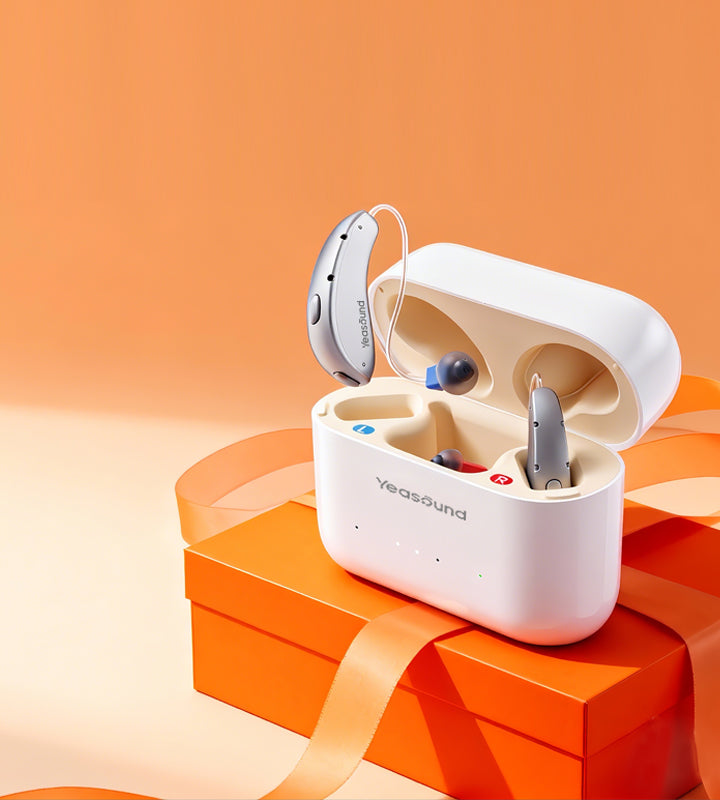

Hearing loss during meetings often shows up as a work problem before it feels like a health problem. The person can hear the meeting start, catch the agenda, and follow the loudest voice. Then a soft-spoken colleague talks from the far end of the room, two people interrupt each other, someone turns toward the screen, and the important decision disappears into a blur.

If the pattern is new or increasing, start with a web-based hearing test before buying a device. It gives the reader a low-pressure way to decide whether the meeting problem may be part of a broader hearing pattern.
Meetings Punish Partial Hearing
A missed word at lunch may be annoying. A missed word in a meeting can change the task. Was the deadline Thursday or Tuesday? Did the client approve the budget or question it? Was the action item assigned to you or to the person beside you?
Work conversation is also less forgiving because people keep moving. One person speaks while looking at a laptop. Another joins from a conference phone. A manager summarizes too quickly because the calendar is full. The listener may spend the whole meeting trying to recover from the last sentence instead of thinking about the next one.
The Problem Is Often Worse In Hybrid Rooms
Hybrid meetings create a strange mix of sound sources. Some voices come from the room, some from a speaker, some through a laptop, and some through a bad microphone. Even people without hearing loss complain about hybrid audio. For someone with hearing difficulty, it can become a daily tax.
The reader should separate three problems: room speech, remote audio, and personal hearing. If remote voices are clearer through headphones than through the conference speaker, routing may be the problem. If all voices become harder when several people speak, hearing support may matter more.
A Workday Audit Beats Guesswork
Before buying anything, the reader can run a simple audit for one week.
|
Meeting Moment |
What To Notice |
Possible Next Step |
|---|---|---|
|
Small room |
Can you follow without lip reading? |
Sit closer or test hearing |
|
Large conference room |
Are distant voices lost? |
Ask for microphone use |
|
Video call |
Is audio clearer through phone or laptop? |
Check device compatibility |
|
Fast project update |
Do action items get missed? |
Use written recap |
|
Noisy open area |
Does fatigue arrive quickly? |
Compare noise-handling support |
The point is not to collect perfect data. It is to stop treating every missed detail as a personal failure. Once the pattern is visible, the solution becomes more practical.
Small Accommodations Can Be Professional
Many adults avoid asking for meeting help because they do not want to seem difficult. But a clear request can sound professional, not personal. “Can we use the room microphone?” “Can action items go in the chat?” “Could you face the room when giving the final decision?” These requests often help everyone.
The ASHA hearing loss practice portal discusses communication strategies and environmental modifications as part of hearing support. In the workplace, that can mean better lighting, less background noise, written follow-up, and clearer turn-taking.
Where Technology Actually Fits
Technology should match the meeting type. If most meetings happen on a phone, Bluetooth routing and phone compatibility matter. If the hardest meetings are in conference rooms, speech focus and noise handling matter more. If the user moves between offices, app control may matter because settings need to change quickly.
The iYeasound app belongs in this discussion only as a control tool. It can support program changes, volume, treble/bass, battery status, cleaning reminders, and support resources.
For a reader whose week is full of calls, conference rooms, and changing noise, Yeasound RIC800 is worth comparing because Bluetooth support, app adjustment, and speech-focused processing connect directly to the workday. The link fits only if the article has already helped the reader identify those problems.
Professional Discretion Matters Too
Some workers hesitate because they do not want clients, coworkers, or interview panels to notice hearing support. That hesitation is real. It may not be the only buying factor, but it affects whether a person wears the device consistently.

The better question is not whether it is the smallest option. The better question is whether it can survive the actual meeting day: insertion, comfort, battery life, call routing, and quick adjustment.
Do Not Let Captions Do All The Work
Captions in Zoom, Teams, or Google Meet can help, but they are not perfect. They may miss names, technical terms, accents, or overlapping speech. They can also pull the reader's eyes away from faces and slides.
Captions are best used as backup. A stronger meeting system uses several supports: better seating, written agendas, clearer microphones, captions when needed, and hearing support if the problem follows the reader beyond one platform.
A Meeting Trial Should Be Concrete
If the reader tests hearing aids, the trial should include actual work moments. One quiet evening at home does not prove much. Test a team meeting, one-on-one call, conference room, video meeting, and a short conversation after the meeting when people talk while standing.
After each test, write one line: what was easier, what was still hard, and whether the device created extra work. A good hearing solution should reduce meeting strain, not add a complicated pre-meeting ritual.
Written Follow-Up Protects Everyone
One of the most useful workplace habits is written follow-up. It helps the person with hearing loss, but it also helps the whole team. A meeting recap catches deadlines, owners, numbers, and decisions that people misremember even when they hear well.
The reader can make this normal by framing it as productivity, not accommodation. “Can we put the final action items in chat?” is a work-quality request. “Can you send the client name after the call?” prevents errors. If the person manages meetings, they can model the habit by sending short recaps themselves.
This matters because hearing loss during meetings is not only about comfort. It can affect reputation. A worker who misses one instruction may look careless. A worker who keeps asking for repeats may worry they look unprepared. Written confirmation gives the person a way to stay accurate without turning every meeting into a hearing conversation.
Test The Worst Meeting, Not The Best One
Many people test hearing support in easy conditions because they want the trial to go well. That is understandable, but it does not answer the work question. The device has to survive the worst recurring meeting: the long conference room, the soft-spoken manager, the hybrid call with bad audio, or the client update where names and numbers matter.
If the device helps only in a quiet room, keep testing before deciding. If it makes the hardest weekly meeting less stressful, that is more meaningful evidence than a perfect ten-minute demo.
The Best Seat Is A Work Tool
Seating can sound too simple to matter, but it often changes the whole meeting. Sitting near the speaker, facing the room, and avoiding a chair beside the projector fan can reduce the amount of guessing the listener has to do. In a long meeting, that can mean more attention left for actual thinking.
The reader can also choose when to ask for help. Interrupting every missed word may feel awkward. Asking at the end of a topic, “Can you repeat the final decision?” is often more useful. It targets the information that affects work without forcing the whole meeting to restart.
FAQ
Why do I miss details in meetings but hear fine at home?
Meetings include distance, multiple speakers, fast topic changes, and background noise. Home conversation is often slower and more predictable. Hearing loss may first become obvious in demanding work settings.
Should I tell my manager I have hearing loss?
That depends on your comfort and workplace situation. You can start with practical requests such as written action items or better microphone use. You do not always need to share medical details to improve communication.
Are video captions enough?
Captions can help, but they are not always accurate. They may miss names, numbers, acronyms, or overlapping voices. Use captions as one tool, not the whole solution.
What hearing aid features matter for meetings?
Speech focus, noise reduction, Bluetooth compatibility, app control, comfort, and battery reliability can all matter. The best feature depends on whether your hardest meetings are in person, remote, or hybrid.
When should I get professional help?
Get professional evaluation for sudden, one-sided, painful, dizzy, or medically unusual hearing changes. For gradual workday difficulty, start by tracking the situations and taking a hearing check. Then compare tools that match the pattern.




Share:
Stay Updated
Get the latest hearing tips & news delivered to your inbox.